

Blaster
What Is Blaster?
Blaster lets you send an approved WhatsApp message template to multiple contacts in one campaign. Use it for announcements, promotions, reminders, and other messages that your recipients have agreed to receive.
Blaster sends through the WhatsApp Business Platform. Meta's messaging rules, template requirements, account quality controls, and sending limits still apply.
Before You Start
You need:
- A connected WhatsApp device. See Connect a Device.
- An approved message template. See Templates Overview.
- An audience that has opted in to receive messages from your business.
The campaign builder checks the selected device and template before you can continue.
Blaster Dashboard
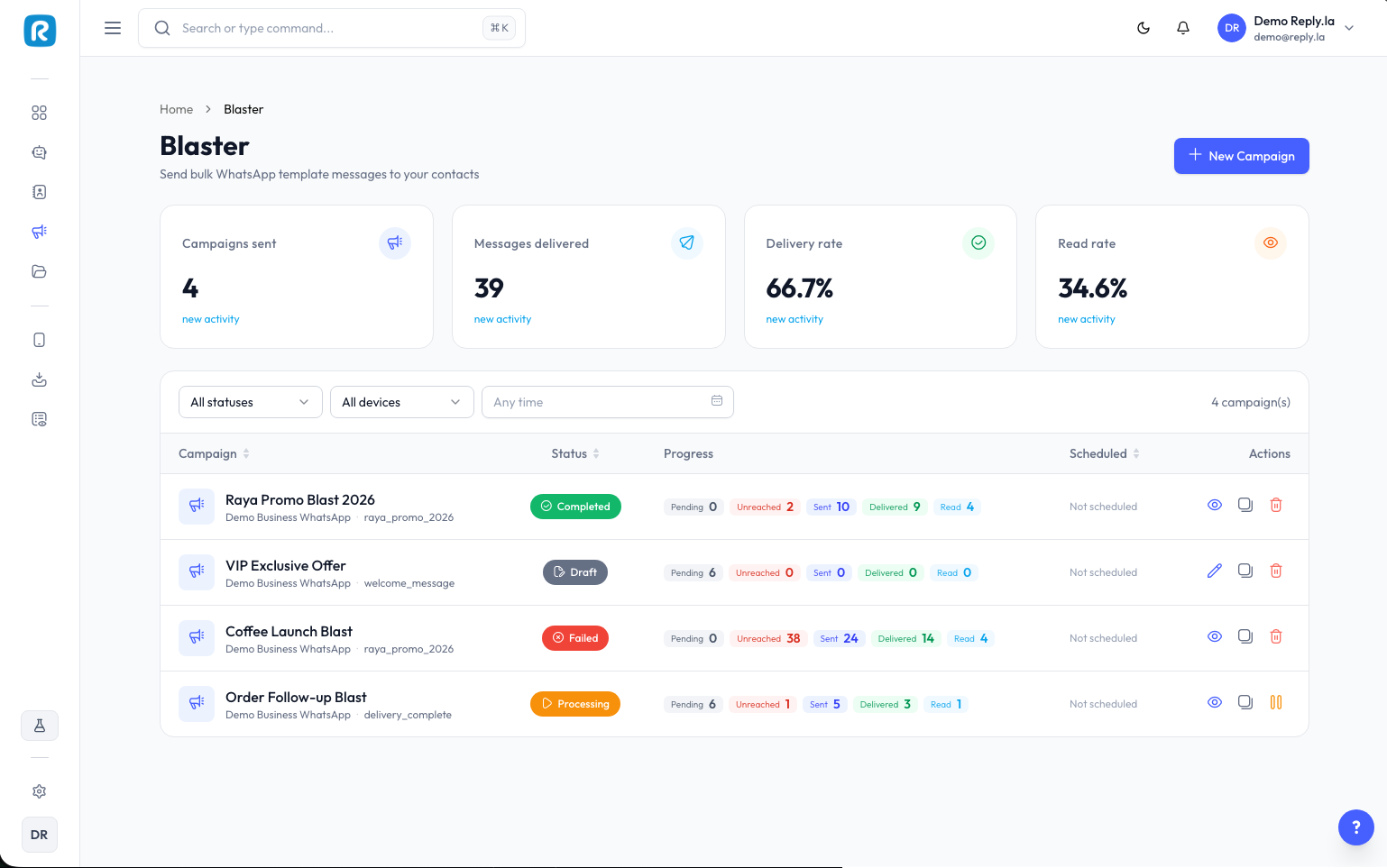
Open Blaster from the sidebar to see your campaigns. The summary cards show:
- Campaigns sent
- Messages delivered
- Delivery rate
- Read rate
You can filter the campaign list by status, device, and created date. Each campaign also shows its delivery progress from Pending and Unreached through Sent, Delivered, and Read.
Campaign Statuses
| Status | What it means |
|---|---|
| Draft | The campaign is saved and can still be edited. |
| Awaiting template | ReplyLa is waiting for the selected template to become available. |
| Preparing | ReplyLa is preparing the audience and campaign data. |
| Scheduled | The campaign will start at the selected date and time. |
| Processing | Messages are currently being sent. |
| Paused | Sending has been paused and can be resumed. |
| Completed | Campaign processing has finished. Open it to review the results. |
| Failed | The campaign could not complete. Open it to inspect the failure details. |
Depending on its status, a campaign can be opened, continued, duplicated, paused, resumed, or deleted. A campaign cannot be deleted while it is being prepared or processed.
Message Charges
WhatsApp may charge for template messages. The applicable rate can vary by template category, recipient market, and Meta's current pricing rules. ReplyLa shows the platform cost where it is available.
See Template Pricing for more details.
Sending Limits and Quality
Meta controls how many unique contacts your WhatsApp number can message. The limit can vary by account status and quality, so ReplyLa does not guarantee a fixed daily capacity. Check the current value for your number in Device Manager before starting a large campaign.
To protect your number's quality:
- Send only to contacts who opted in.
- Use accurate, relevant templates.
- Avoid repeatedly messaging disengaged contacts.
- Make it easy for recipients to opt out.
- Start with a smaller test audience before a large campaign.
Read How to Increase Limit for practical guidance.