

Inbox
Pause Chatbot AI
Pause the chatbot AI for a single conversation so you can reply to a customer manually.
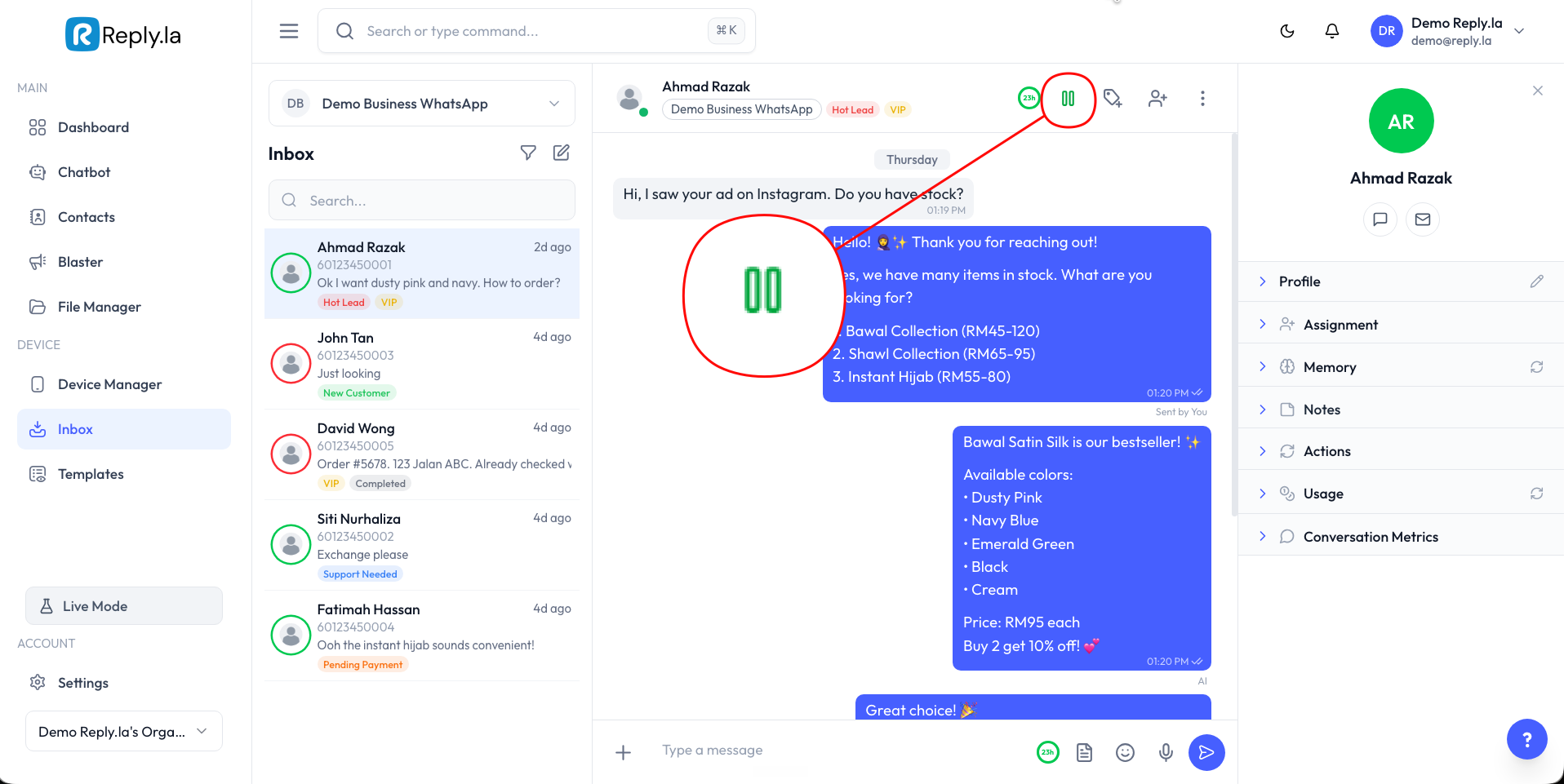
Every conversation has a pause button in the chat header. It lets you switch the chatbot AI off for that one conversation so you can take over and reply to the customer yourself - without the AI responding at the same time.
Button States
The button shows you the current state of the chatbot AI for the open conversation:
| Button | Meaning | Click to… |
|---|---|---|
| Green pause icon | Chatbot AI is running - it replies to this customer automatically | Pause the AI |
| Yellow play icon | Chatbot AI is paused - it won't reply to this customer | Resume the AI |
How to Pause the AI
- Open the conversation in the Inbox.
- Click the green pause button in the chat header.
- The button turns into a yellow play button - the AI is now paused for this conversation. You can reply manually and the AI won't step in.
How to Resume the AI
- Open the conversation.
- Click the yellow play button in the chat header.
- The button turns back to green - the AI is running again and will handle this customer automatically.
Pausing affects only the conversation you opened. Every other chat keeps its chatbot AI running as normal.
Common Questions
No. The pause button only applies to the conversation you have open. All your other conversations keep their chatbot AI running.
The customer's messages still arrive in the Inbox as normal - the AI just won't reply to them. You'll need to reply manually until you resume the AI.
Yes. The conversation stays paused until you click the play button to resume it. It does not turn back on by itself.