

Device Manager
Link to a Page
Connect your WhatsApp Business number to your Facebook Page and Instagram profile.
Linking your WhatsApp Business number to your Facebook Page and Instagram profile adds a WhatsApp button to those profiles. Customers can then tap it to message you directly - a simple way to turn your social pages into a chat entry point.
This setup is done inside Facebook and Instagram, not in Reply.la. You'll need admin access to the Page or profile you're linking.
Link to a Facebook Page
- Go to your Facebook Page.
- Open Settings.
- Under Permissions, select Linked accounts.
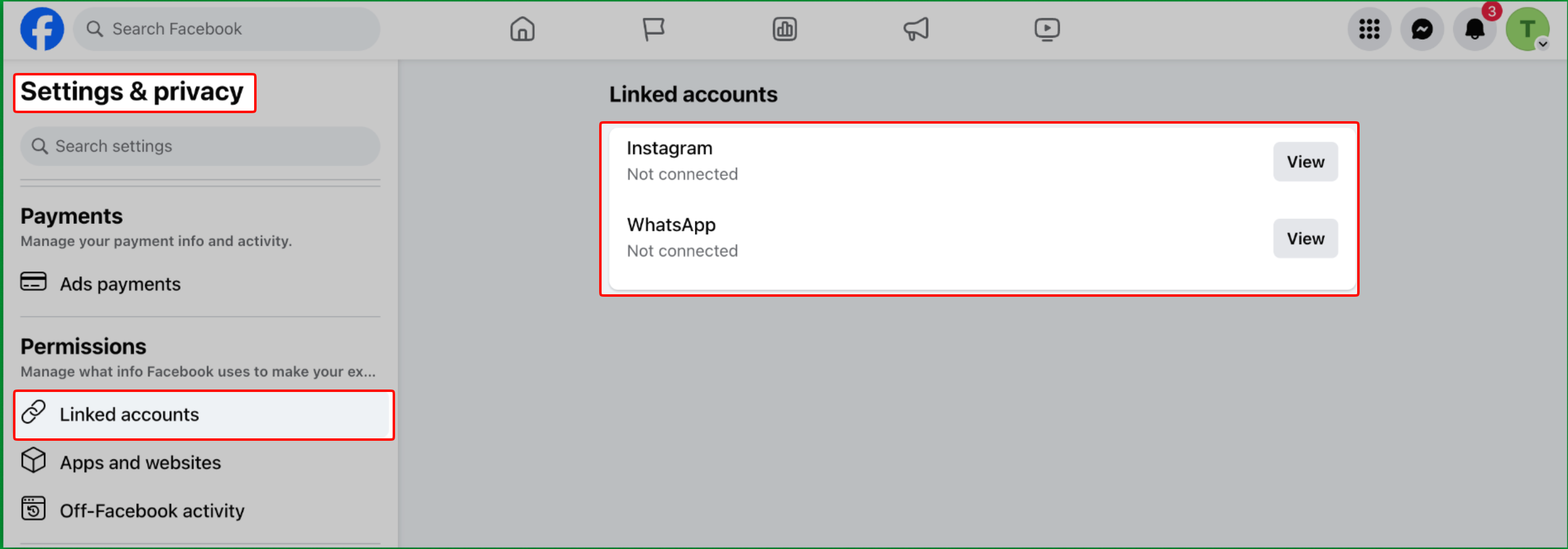
- Click View next to WhatsApp.
- Select your country code and enter your WhatsApp Business phone number.
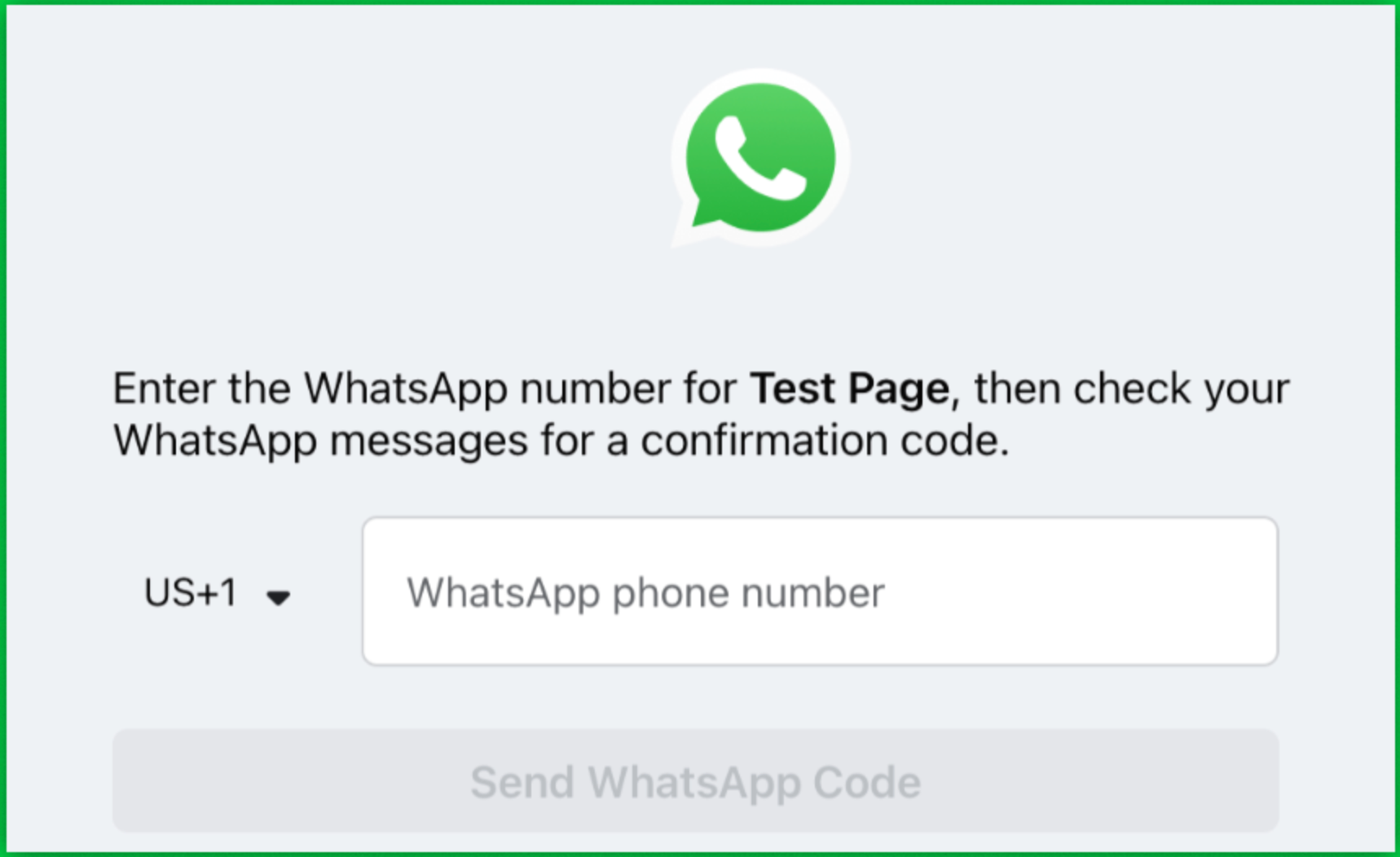
- Click Send WhatsApp Code.
- Enter the verification code sent to your WhatsApp, if prompted.
Once connected, the same screen lets you manage the linked number - add another number, set WhatsApp as your Page's action button, or remove the number.
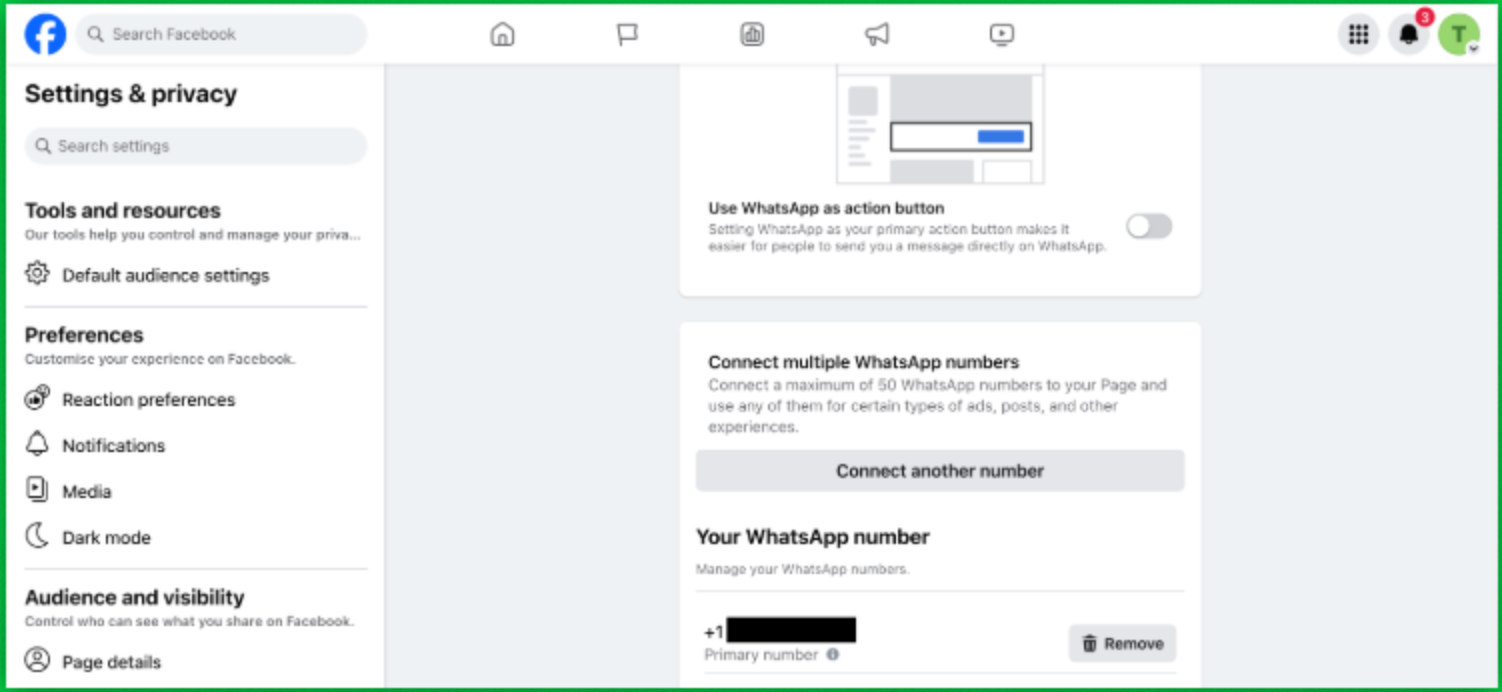
The WhatsApp option only appears on Facebook Pages for businesses. It is not available on personal Facebook profiles.
Link to Instagram
- Open your Instagram business profile.
- Tap Edit Profile.
- Under Public business information, tap Contact options.
- Select WhatsApp Business phone number.
- Choose an existing WhatsApp number, or add a new one.
- Tap Send confirmation code.
- Complete the verification, if prompted.
How to Unlink
- Facebook: Go back to Settings → Linked accounts → WhatsApp and remove the number using the Remove button on the manage screen.
- Instagram: Go to Edit Profile → Contact options and remove the WhatsApp Business phone number.
Common Questions
The WhatsApp option only shows on business Pages, not personal profiles. Make sure you're editing a Facebook Page and that you have admin access to it.
Yes. You can connect the same WhatsApp Business number to your Facebook Page and your Instagram profile.
No. Linking happens inside Facebook and Instagram. Reply.la is where you manage the conversations once customers message you.