

Chatbot
Keywords
Bina fixed response sequence yang berjalan bila customer message match word atau phrase.
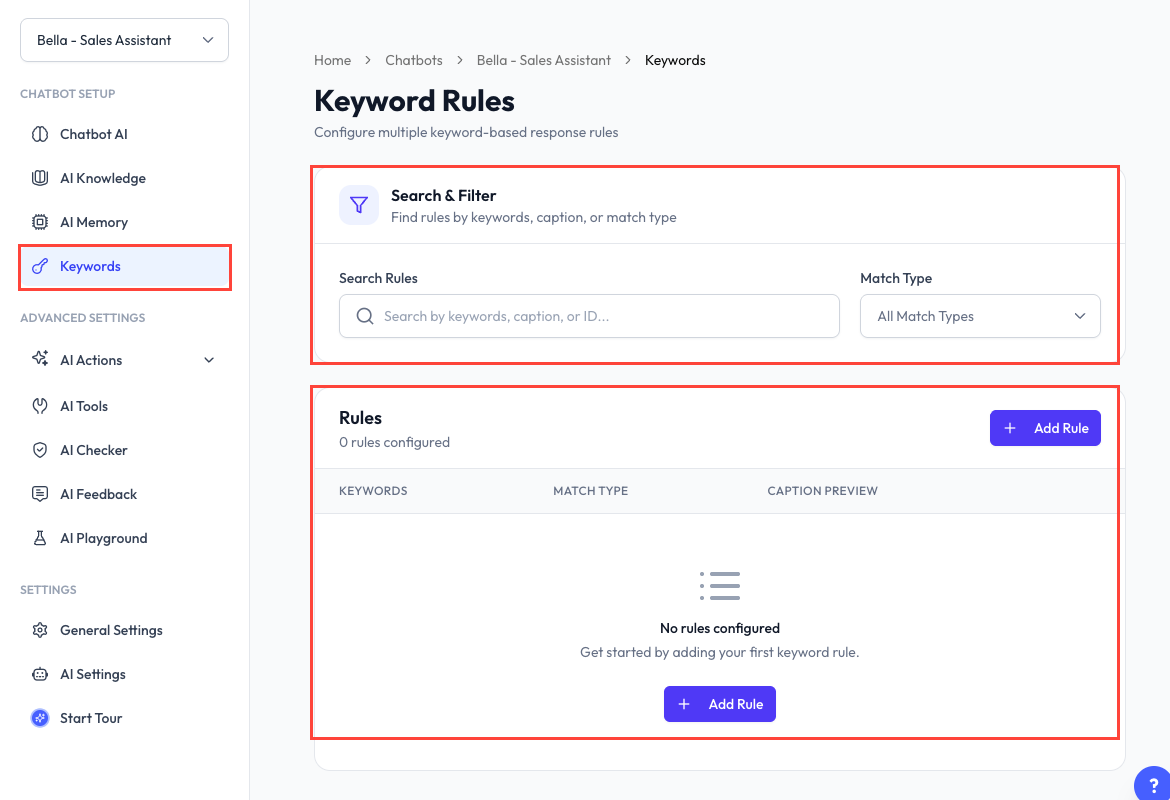
Apa Itu Keyword Rules?
Keyword rule check incoming message untuk word atau phrase yang disetup. Bila match, ReplyLa jalankan response sequence tanpa minta AI tulis reply.
Cari dan Manage Rules
Keyword Rules page benarkan anda:
- Search ikut keyword, caption, atau rule ID.
- Filter ikut match type.
- Tengok rule aktif atau tidak.
- Copy rule ID.
- Edit, enable, disable, atau delete rule.
Disabled rule kekal disimpan tetapi akan skip semasa matching.
Create Rule
- Buka Chatbot dan pilih chatbot.
- Klik Keywords.
- Klik Add Rule.
- Masukkan satu atau beberapa keyword.
- Pilih match type:
- Exact Match - Normalized customer message mesti sama dengan keyword.
- Contains Match - Keyword boleh ada dalam message yang lebih panjang.
- Tambah sekurang-kurangnya satu response sequence atau enable Next Action.
- Save rule.
ReplyLa akan warning tentang keyword conflict supaya overlapping active rule boleh dibetulkan sebelum save.
Bina Response Sequence
Setiap sequence step boleh jadi:
- Message - Text dengan optional image, video, audio, atau document daripada File Manager.
- Template - Approved WhatsApp template daripada connected device chatbot, termasuk required variable binding.
Untuk setiap step anda boleh:
- Masukkan delay sehingga 25 saat.
- Edit atau delete.
- Drag untuk tukar order.
Step akan dihantar ikut order yang dipaparkan.
Next Actions
Lepas sequence selesai, rule boleh:
- Add atau remove contact label.
- Buat REST API call dengan HTTP method, URL, header, dan body value.
Supported contact variable boleh dimasukkan dalam API value. Pastikan API credential dan header dianggap sebagai sensitive information.
Keywords vs AI
| Guna keyword rule bila | Guna AI bila |
|---|---|
| Trigger dan response mesti predictable | Response bergantung pada conversation context |
| Perlukan fixed sequence, media, atau template | AI perlu compose natural answer |
| Nak add label atau call webhook | Perlukan reasoning atau product recommendation |
Soalan Lazim
Chatbot mesti connected kepada WhatsApp device dan template mesti approved.
Boleh. Tambah beberapa sequence step dan drag ikut order yang diperlukan.
Rule perlukan valid keyword dan sama ada meaningful response sequence atau enabled Next Action. Semua template variable juga mesti dibind.
Available rule count boleh bergantung pada active plan. Ikut limit yang dipaparkan dalam product.